xpost from clearhead.me
If you've done any sort of custom configuration to your Universal Analytics Tag in Google Tag Manager, @nicholasblexrud's pattern in "Add Optimizely with Universal Analytics via Tag Manager" will leave you - like a ball kicked to Tim Howard - blocked.
Not to fear! Clearhead's office is streaming the world cup, so we've turned off the billable clock and are writing blog posts in between the action. Should be just time enough to photoblog our Optimizely GTM Integration process…
One Time: GA and GTM Setup
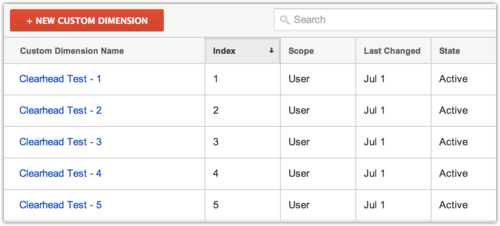
First, we create a series of Custom Dimensions so we can gather data on up to 5 concurrent tests:
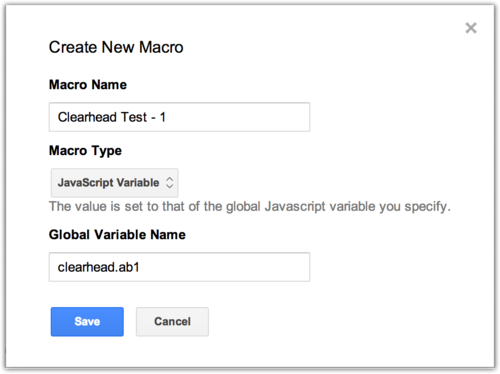
Next, we create Google Tag Manager macros to look for clearhead.ab1 through clearhead.ab5 variables:
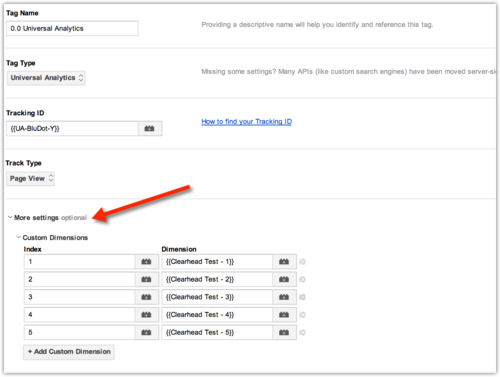
Yay! We're all setup.
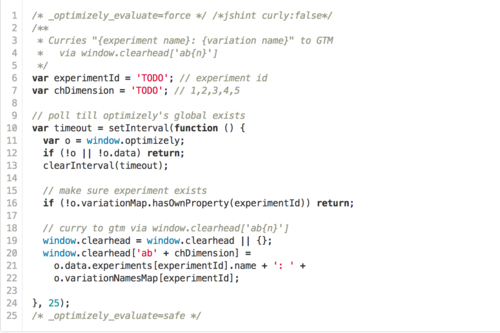
Every Time: Experiment's Global JS Now it's just a matter of currying the user's metadata into the global variables via the experiment's global js (image links to gist).
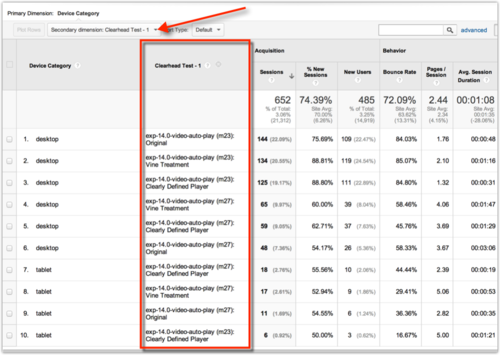
That sweet, sweet, data.
Obviously lots of moving parts here! If you're a dev or analyst reading this, we're hiring and/or hire-able as help!
-Tom